
AI: Shaping the Future, Today
G Suite to Microsoft 365 Migration
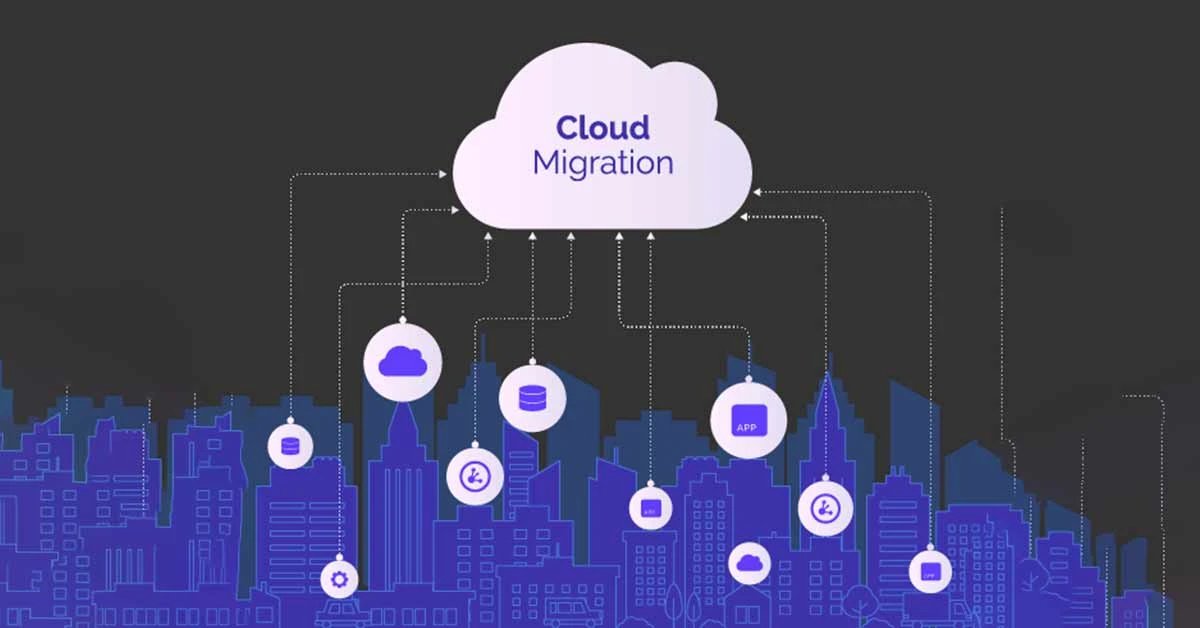
We provide secure, complete, and hassle-free migration from Google Workspace to Microsoft 365, along with expert onboarding to get your team up and running immediately.

G Suite to Microsoft 365 Migration Services
Complete Email Migration (Gmail to Outlook)
We securely migrate all your emails, folders, labels, and attachments from Gmail to Microsoft Outlook. Preserve your email history, maintain folder structures, and ensure no message is left behind—all with minimal to zero downtime for your team.
Google Drive to OneDrive/SharePoint Migration
Transfer all your files, documents, and shared drives from Google Drive to Microsoft OneDrive and SharePoint. We maintain folder hierarchies, permissions, and sharing settings so your team finds everything exactly where they expect it.
Calendar & Contacts Transfer
Seamlessly move all calendar events, appointments, meetings, and contacts from Google Calendar and Google Contacts to Microsoft Exchange Online. No lost appointments, no missing contacts—just a smooth transition.
Post-Migration Support & Data Integrity
Our service doesn't end at migration. We provide comprehensive post-migration support to verify all data transferred correctly, address any issues immediately, and ensure your team is fully operational in the new Microsoft 365 environment.

Migration Benefits
Zero Business Disruption
Our migration process is designed for minimal to zero downtime. Your team continues working in G Suite while we migrate data in the background, ensuring no interruption to your daily operations.
Complete Data Integrity
We guarantee the secure transfer of all your emails, files, calendar entries, and contacts. Every email, every document, every appointment is preserved with its original metadata, folder structure, and permissions.
Enhanced Security & Compliance
Benefit from Microsoft 365's enterprise-grade security. We configure essential email authentication protocols (SPF, DKIM, DMARC) to protect against spoofing and phishing from day one.
Post-Migration Peace of Mind
We stand by our work with dedicated post-migration support. Our team remains available to troubleshoot any issues, answer questions, and ensure your team is fully comfortable in the new environment.
Why Migrate to Microsoft 365?
Seamless Integration with Microsoft Apps
Microsoft 365 offers deep integration with Word, Excel, PowerPoint, and Teams. Work seamlessly across applications with real-time co-authoring, automatic cloud saving, and familiar interfaces your team already knows.
Anywhere, Anytime Access
Give your team the power to work securely from anywhere—desktop, laptop, tablet, or phone. Access emails, files, and colleagues with native apps that work perfectly across all devices.
Enterprise-Grade Security
Microsoft 365 provides built-in advanced threat protection, data loss prevention, and compliance tools. Keep your business data safe with security features that update automatically.
Predictable Subscription Pricing
Move from variable costs to predictable monthly or annual subscription pricing. Microsoft 365 offers flexible plans that scale with your business, so you only pay for what you need.
Our Migration Process
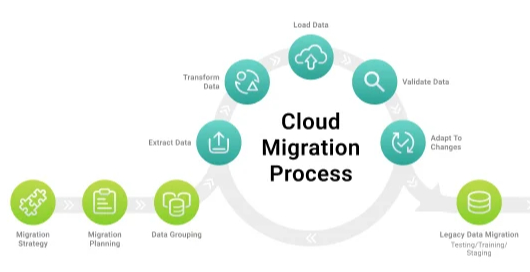
1. Discovery & Assessment
We begin by thoroughly analyzing your current G Suite environment. We audit all users, data volumes (emails, Drive files), and identify any potential challenges. You receive a detailed project plan with clear timeline and milestones.
2. Pilot Migration & Testing
Before full migration, we perform a test migration with a small group of users. This validates the process, confirms data integrity, and allows your team to experience Microsoft 365 firsthand while still working in G Suite.
3. Full Migration Execution
We execute the migration in carefully planned batches during scheduled windows. Your team continues working normally while we securely transfer emails, files, calendars, and contacts to your new Microsoft 365 environment.
4. Cutover & Validation
Once migration is complete, we perform the final cutover—switching email routing and primary systems to Microsoft 365. We then conduct thorough validation with your team to ensure everything works perfectly before concluding.

Why Choose BrainBrick for Your Migration?
Certified Migration Experts
Our team holds deep expertise in both Google Workspace and Microsoft 365 platforms. We understand the nuances of both systems and know exactly how to map data, permissions, and settings for a perfect transition.
Proven Methodology
We follow a tried-and-tested migration framework developed through years of experience. Our step-by-step approach minimizes risks, prevents data loss, and ensures nothing is overlooked.
Minimal Disruption Guarantee
We pride ourselves on migrations that feel invisible to your end-users. Your business runs as usual while we handle the complex data transfer in the background. No prolonged downtime, no lost productivity.
Ongoing Support Partnership
Our relationship doesn't end when migration completes. We view ourselves as your long-term technology partner, available for ongoing Microsoft 365 support, training, and optimization as your business grows.
Free Consultation
For more information about G Suite to Microsoft 365 Migration services, or to schedule a consultation,
please contact us at info@brainbrick.net